
Search for answers or browse our knowledge base.
Retro C Scrap System Overview and Daily Checks
The Retro C scrap system normally uses two conveyors. The scrap conveyor runs through the belly of the saw and collects waste produced during cutting. It transfers that material to the scrap incline, located outside the saw on either the stationary or carriage end, which carries the waste to the customer’s collection system.
Major components
- Belly or scrap conveyor beneath the cutting area.
- Scrap incline conveyor outside the saw.
- Scrap electrical panel mounted low on the saw frame on the sawyer’s side.
- VFDs, motor wiring, and controls for the conveyor drives.
- Belts, rollers, bearings, guards, and discharge transitions.
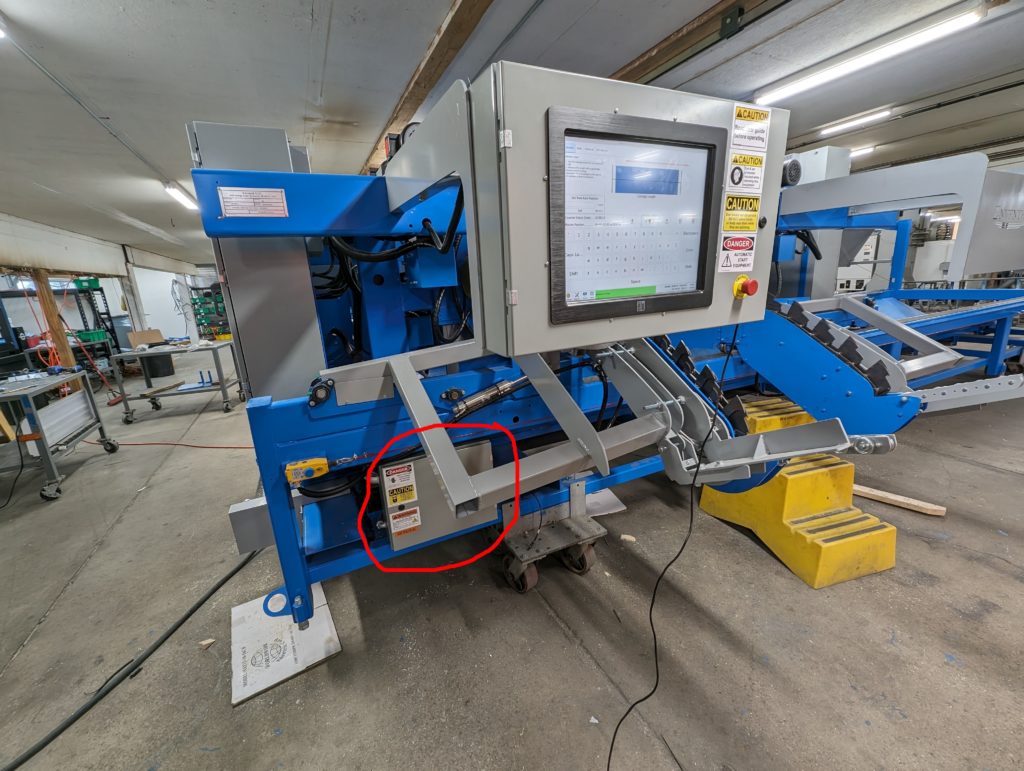
The scrap electrical panel is located low on the saw frame on the sawyer’s side:
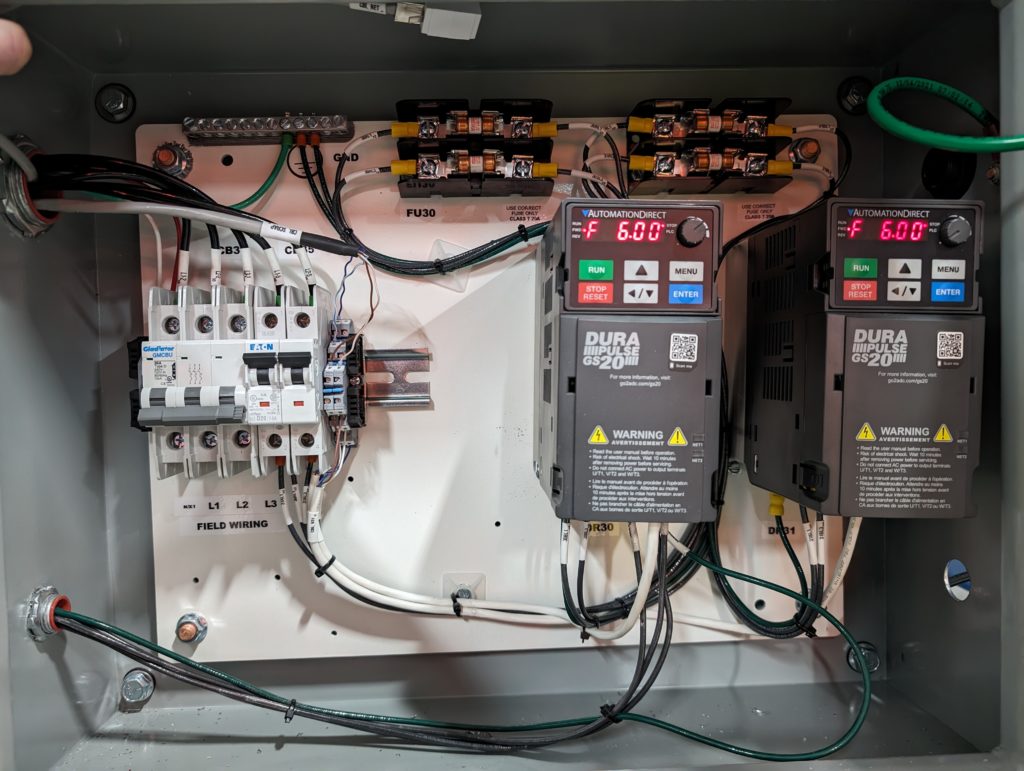
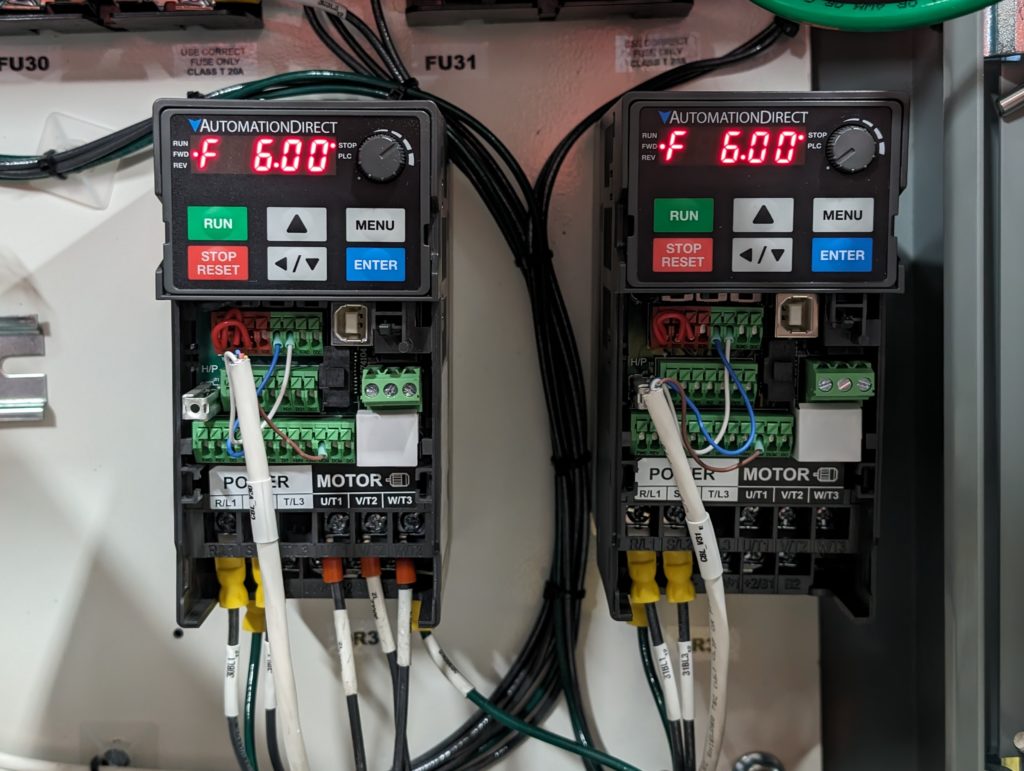
The devices inside the enclosure control the scrap conveyor and scrap incline:
Normal operation
When scrap handling is enabled, both conveyors should start and run in the direction that carries material away from the saw. The downstream incline or customer conveyor must be ready before scrap is fed into it. Material should transfer cleanly without accumulating at the transition between conveyors.
Daily operator checks
- Remove accumulated scrap only after the machine is stopped and locked out. Never reach into a moving conveyor.
- Check that guards and covers are installed and secure.
- Inspect the belt for tears, frayed edges, excessive slack, or contact with the frame.
- Look for buildup around rollers, transitions, and the discharge point.
- Listen for new scraping, knocking, squealing, or bearing noise.
- Confirm that both conveyors start, run in the correct direction, and stop as commanded.
- Check the operator display for a disconnected drive or other scrap-system warning.
If scrap is not moving
- Stop feeding material and prevent additional scrap from entering the conveyor.
- Check whether both conveyors are stopped or only one section is affected.
- Read and record the exact message on the control screen and any fault code shown on the VFD.
- With the system locked out, inspect for a jam, overloaded transition, damaged belt, loose connection, or obstructed roller.
- Do not repeatedly reset an overloaded or faulted drive without finding the cause. Contact Enventek Support if the fault returns.
After maintenance
Remove all tools and loose material, reinstall every guard, clear personnel from the conveyor area, and test the system empty. Then introduce a small amount of scrap and confirm smooth transfer through the belly conveyor, incline, and final discharge.