
How Can We Help?
Search for answers or browse our knowledge base.
Linear PickLine Encoder Not Counting Lumber
Applicability
| Product | Linear PickLine |
|---|---|
| Subsystem | Conveyor C encoder and lumber counting |
| Skill level | Maintenance technician |
| Lockout/tagout | Required before accessing encoder hardware, wiring, or conveyor components |
Use this procedure when the Linear PickLine sensors detect a board but the control never creates or tracks that board. A slipping, disconnected, or failed conveyor encoder can prevent the system from measuring board travel even though the sensor inputs are working.
Typical symptoms
- The lumber picker places a board in the trough and the PickLine carries it past the sensor array.
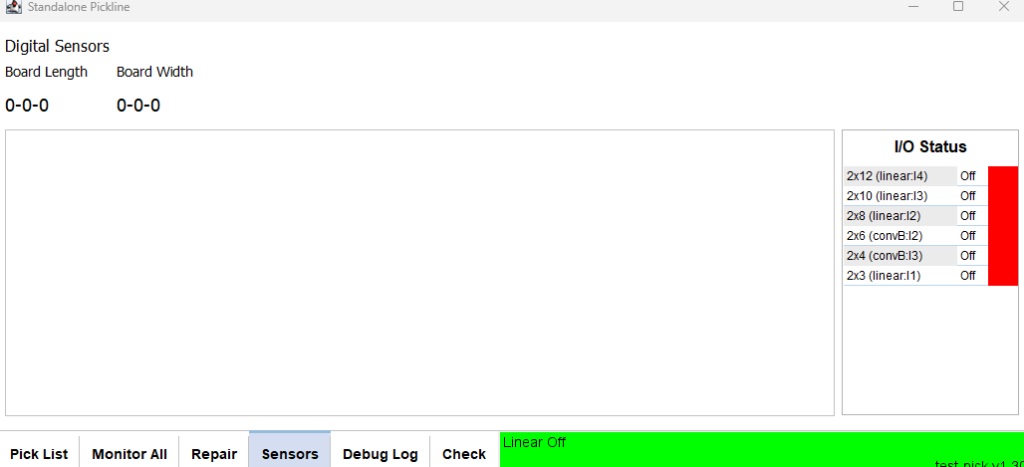
- In PickLine → Check → Sensors, the sensor indicators turn green while the board passes.
- No board appears in Monitor All.
- Conveyor C, the incline conveyor, does not advance for the board.
- The kicker or standard discharge removes the board without the expected downstream sequence.
Confirm the problem is encoder-related
- Open the PickLine diagnostic screen and observe the sensor inputs while a single board passes. If the sensors do not change, troubleshoot the sensor array first.
- Observe the encoder count or position while the PickLine moves. The value must change smoothly and consistently with conveyor travel.
- If the sensor inputs change but the encoder value does not change—or changes intermittently—inspect the encoder and its mechanical connection.
Inspect the encoder
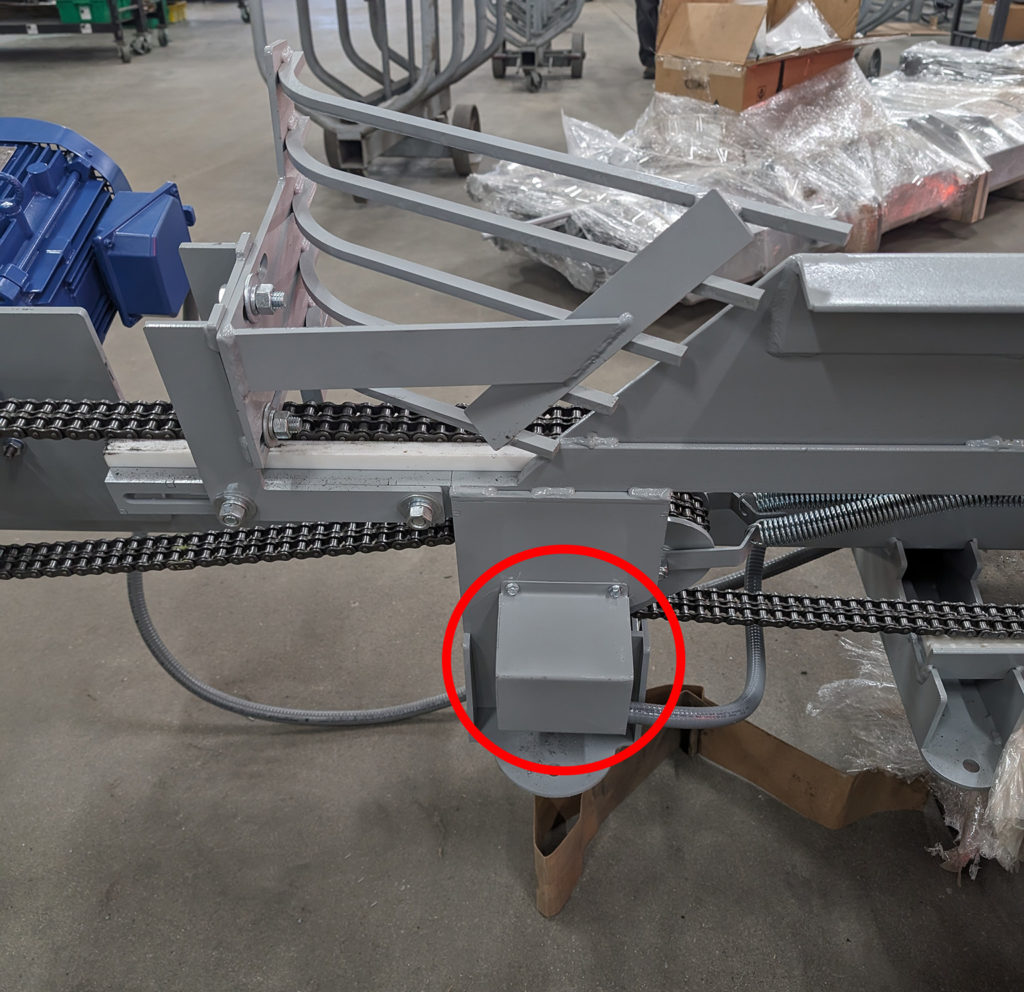
Lock out the PickLine before removing the gray protective cover. The encoder is located beneath this cover:
- Check whether the encoder body or shaft is turning independently because the mounting tabs are broken.
- Check the shaft coupling and set screw. A loose set screw allows the conveyor shaft to turn without driving the encoder.
- Inspect the bracket and coupling for movement, misalignment, wear, or damage.
- Inspect the encoder cable and connector for loose connections, cuts, crushed sections, or contamination.
- If the mechanical connection and wiring are secure but the count remains stationary or erratic, the encoder may have failed.
Correct and verify
- Tighten the set screw or collar onto the correct flat or shaft location.
- Repair the mounting or coupling if the encoder can rotate independently.
- Reconnect or repair damaged wiring using the applicable Encoder Wiring Diagram.
- Replace the encoder if the mechanical drive and wiring are correct but the count remains incorrect.
Reinstall the protective cover, clear the PickLine area, and run one board. Confirm that the encoder count changes smoothly, the sensor indicators respond, the board appears in Monitor All, and Conveyor C advances correctly. Then test several boards to confirm that tracking remains consistent.